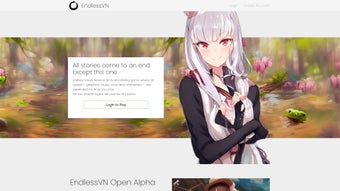

Download Endless Visual Novel – AI‑Powered Interactive Story Creation Tool
Endless Visual Novel is a modern, AI‑enhanced software that lets writers, game designers, and hobbyists build interactive visual‑novel stories without writing a single line of code. The platform combines a drag‑and‑drop editor with powerful customization options, enabling users to craft custom character sprites, integrate background music, and design branching narratives that keep readers hooked. While it does not yet support voice‑over narration or native multi‑platform publishing, the tool shines in its intuitive interface, quick learning curve, and the ability to produce polished, story‑driven experiences for Windows, macOS, and Linux users. Whether you’re a seasoned visual‑novel developer looking for a rapid‑prototyping solution or a newcomer eager to explore interactive storytelling, Endless Visual Novel provides a secure, free‑to‑download environment that encourages creativity and reduces the technical barriers traditionally associated with game development.
Key Features That Power Your Creative Workflow
- AI‑assisted storyboarding and dialogue suggestions.
- Drag‑and‑drop scene builder with customizable background images.
- Full control over character sprites, including pose, expression, and layering.
- Integrated music library and sound‑effect manager for immersive audio.
- Adjustable text box size, font, and color to match the story’s tone.
- Branching storyline editor with visual flow‑chart representation.
- Export options for Windows, macOS, and Linux executables.
- Real‑time preview mode for instant feedback on narrative pacing.
- Cloud‑save support for collaborative projects and version control.
- Free core version with optional premium asset packs.
Endless Visual Novel’s feature set is designed around the principle of “no‑code, all‑creativity.” The AI‑driven storyboarding assistant analyses your plot outlines and suggests dialogue snippets, character interactions, and even minor plot twists, allowing you to focus on the bigger picture. The drag‑and‑drop scene builder works like a visual canvas: you import background images, position characters, and set camera angles without dealing with layers or spritesheets manually. Customization doesn’t stop at visuals—audio integration is equally seamless.
You can import royalty‑free tracks or your own compositions, assign them to specific scenes, and fine‑tune volume curves to match emotional beats. The text box editor gives you freedom over typography, enabling you to match fonts with the genre (e.g., gothic for horror, pastel for romance). Branching narratives are visualized through a flow‑chart interface, making it simple to see where choices diverge and converge, which is essential for maintaining story coherence in complex projects.
While the free version already offers a robust toolkit, premium asset packs (extra character sets, high‑resolution backgrounds, and sound libraries) can be purchased directly within the app, ensuring that you never run out of creative material.
Pros
- Intuitive drag‑and‑drop UI reduces learning time for beginners.
- AI‑assisted writing suggestions speed up script development.
- Comprehensive audio management creates immersive experiences.
- Branching storyline visualizer simplifies complex plot structures.
- Free core version makes it accessible to hobbyists and indie creators.
- Cross‑platform support for Windows, macOS, and Linux.
Cons
- No built‑in voice‑over or text‑to‑speech capabilities.
- Limited to desktop platforms; no native mobile export.
- Advanced animation features (e.g., sprite movement) require external plugins.
- Premium asset packs are sold separately, which may increase cost for full customization.
Installation, Compatibility, and Frequently Asked Questions
Getting started with Endless Visual Novel is straightforward. The installer is available as a single executable for Windows (.exe), a disk image for macOS (.dmg), and a compressed archive for Linux (.tar.gz). After downloading, run the installer and follow the on‑screen prompts: accept the license agreement, choose an installation directory, and let the wizard copy the necessary files. Once installed, launch the application; the first run will trigger a brief tutorial that walks you through creating a new project, adding characters, and setting up your first branching choice. The software automatically checks for updates on launch, ensuring you always have the latest AI models and bug fixes without manually downloading patches.
In terms of system requirements, Endless Visual Novel runs smoothly on modern hardware. Minimum specifications include a dual‑core CPU, 4 GB RAM, and a graphics card supporting OpenGL 3.2 or higher. For optimal performance—especially when handling large audio libraries or high‑resolution backgrounds—8 GB RAM and a dedicated GPU are recommended. The program is compatible with Windows 10/11 (64‑bit), macOS 10.15+ (Catalina or later), and popular Linux distributions such as Ubuntu 20.04 LTS and Fedora 34. While the tool does not currently offer native iOS or Android builds, you can export your visual novel as an HTML5 package and host it on a web server for mobile browsers.
FAQ – Answers to Common Queries
Can I publish my visual novel directly to Steam or Itch.io?
Yes. Endless Visual Novel allows you to export your project as a standalone executable for Windows, macOS, or Linux. You can then upload the build to platforms like Steam, Itch.io, or any other distribution service that accepts desktop games.
Is there a cloud‑save feature for collaborative writing?
The free version includes basic cloud sync, which stores your project files on the developer’s servers. For real‑time collaboration, you can upgrade to the premium plan, which adds version control and multi‑user editing capabilities.
Do I need any programming knowledge to use Endless Visual Novel?
No programming skills are required. The entire workflow relies on visual editors and drag‑and‑drop components. If you wish to add custom scripts for advanced effects, the software supports optional JavaScript extensions, but this is entirely optional.
Compatible Operating Systems: Windows 10/11 (64‑bit), macOS 10.15+ (Catalina or later), Linux (Ubuntu 20.04 LTS, Fedora 34).
Conclusion – Bring Your Stories to Life with Endless Visual Novel
Endless Visual Novel stands out as a powerful, user‑friendly platform that democratizes the creation of interactive stories. By eliminating the need for coding and providing AI‑driven assistance, it enables writers and designers of all skill levels to focus on narrative depth, character development, and immersive audio‑visual presentation. The drag‑and‑drop interface, robust branching editor, and cross‑platform export options make it a practical choice for indie developers aiming to launch a visual novel on PC marketplaces.
While the lack of built‑in voice‑over and mobile publishing may be limiting for some, the tool’s core strengths—simplicity, flexibility, and a generous free tier—outweigh these gaps for most users. If you’re ready to transform a simple script into a captivating, interactive experience, download Endless Visual Novel today, start a new project, and let your imagination run wild. The journey from concept to playable story has never been this accessible, secure, or enjoyable.



.png)



